Features
Project settings
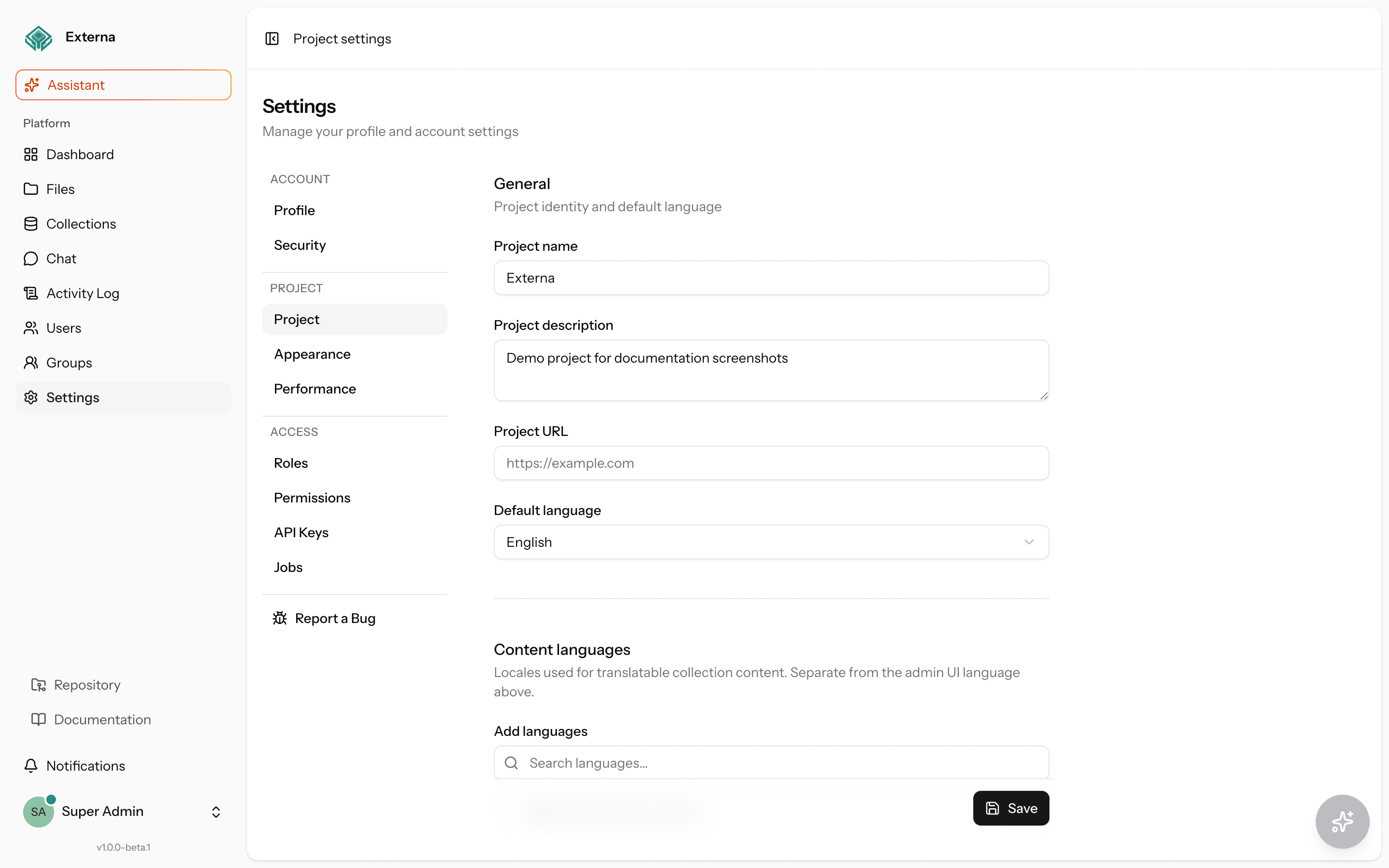
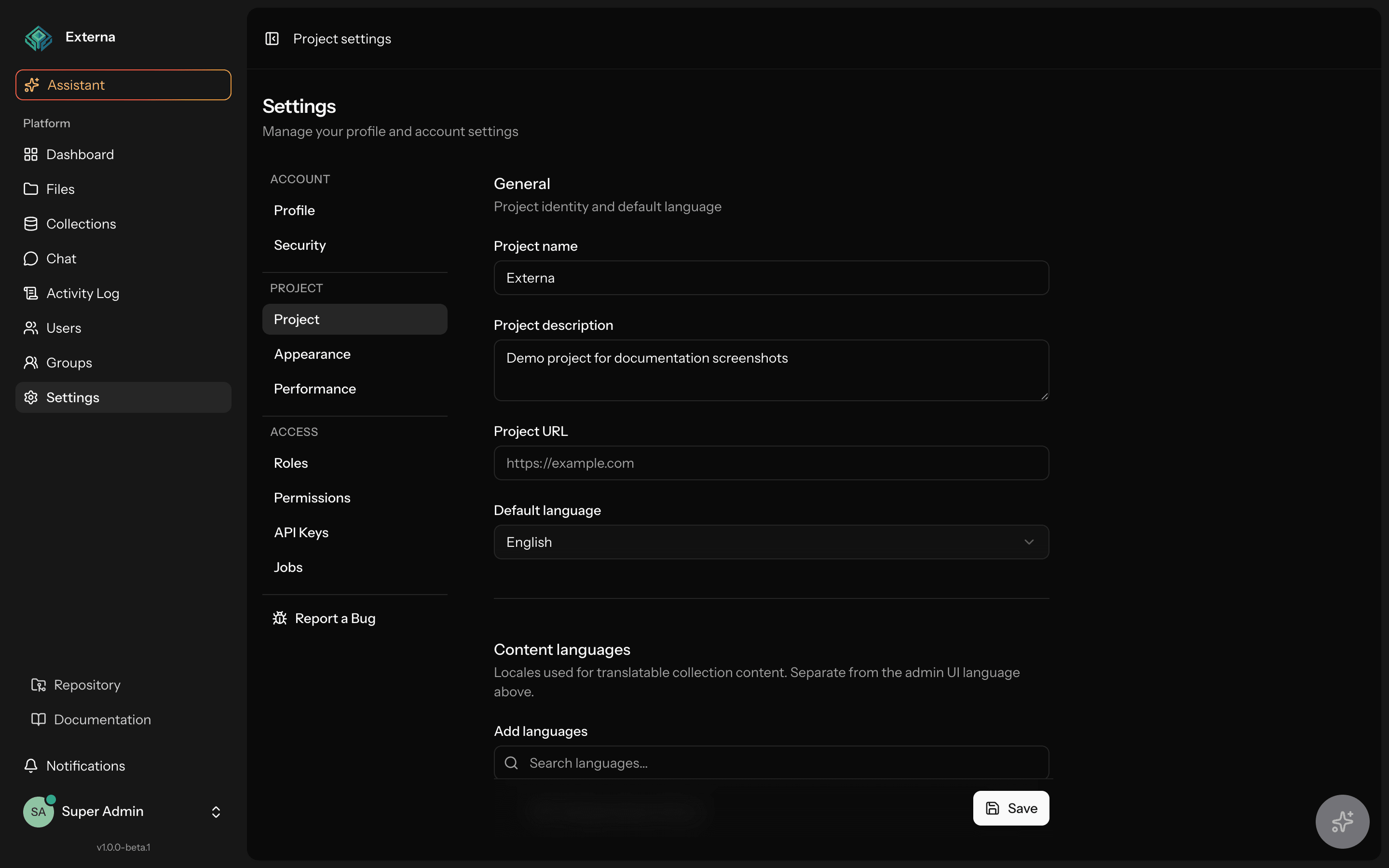
Project settings are the operator-facing configuration for the whole Externa install: content languages, sidebar modules, security/registration defaults, Public API origin allowlist, image transform presets, outbound webhooks, and branding. They require can-manage-project-settings.
Related
Personal profile/password/passkeys: Account settings · Passkeys. Content locale resolution: Configuration · Collections data model. Public API origins: Client types — Origin allowlist. Outbound delivery: Outbound webhooks. HTTP overview: Routing.
Access
| Item | Detail |
|---|---|
| Permission | can-manage-project-settings |
| Routes | routes/settings.php (auth + verified + permission:…) |
| Controllers | ProjectSettingsController, AppearanceSettingsController |
| Pages | resources/js/pages/settings/project.tsx, appearance.tsx |
| Storage | SettingsRepository project scope (config/settings.php keys) |
The same can-manage-project-settings permission also grants access to Settings → Performance (/settings/performance) — cache ops status and targeted flush actions. See Operations.
HTTP
| Method | Path | Name | Purpose |
|---|---|---|---|
GET | /settings/project | project.edit | Project settings form |
PUT | /settings/project | project.update | Persist project keys |
POST | /settings/project/webhook-test | project.webhook-test | Queue a signed ping event |
GET | /settings/appearance | appearance.edit | Branding form |
PUT | /settings/appearance | appearance.update | Persist appearance keys |
Unsaved changes
Project and Appearance forms show an Unsaved badge and Discard on the sticky Save bar while dirty. Discard confirms, resets fields to the last loaded values, and stays on the page. Leaving via navigation while dirty uses the same Keep editing / Discard dialog.
Project keys
Configured under Settings → Project (ProjectSettings::forEdit()). Important groups:
| Area | Keys (selection) |
|---|---|
| Identity | name, description, url, default_language |
| Content locales | content_locales, default_content_locale, fallback_content_locales |
| Sidebar | sidebar_modules (ordered modules; ai / dashboard locked) |
| Security / registration | password_policy, login_max_attempts, two_factor_required, registration_enabled, default_user_role, email_verification_required, allowed_domains |
| Public API | public_api_allowed_origins (one origin per line in the UI; empty = no origin gate, CORS from CORS_ALLOWED_ORIGINS) |
| Files | allowed_transformations, preset_transformations |
| Reporting | report_issue_url, report_bug_url, report_error_url |
| Webhooks | webhook_url, webhook_secret (encrypted at rest; never shared on Inertia) |
Content locales are the source of truth for translatable collection field values and labels once saved. Until then, seed/fallback comes from config/collections.php. Catalog codes live in resources/data/content-locales-catalog.json (ContentLocaleCatalog).
Disabling a content locale does not delete existing translation rows.
Require two-factor authentication
When two_factor_required is enabled, EnsureTwoFactorIsEnabled (web middleware) redirects authenticated users who have neither confirmed Fortify TOTP (hasEnabledTwoFactorAuthentication()) nor at least one registered passkey (hasPasskeysEnabled()) to Settings → Security (security.edit). That page passes twoFactorRequired / twoFactorEnforcedForUser and shows an alert banner until the user finishes enrollment (TOTP or a passkey).
| Satisfies the gate? | Condition |
|---|---|
| Yes | Confirmed Fortify TOTP |
| Yes | ≥1 registered passkey (Features::canManagePasskeys() and hasPasskeysEnabled()) |
| Yes | Both of the above |
| No | Neither — forced to Security with the required-MFA banner |
| N/A (gate off) | two_factor_required off — personal TOTP/passkeys stay optional |
| N/A (no-op) | Fortify two-factor feature disabled — middleware does not enforce |
Allowlisted so enrollment works: security/password/profile/locale settings, Fortify 2FA + passkey registration/store/destroy + password-confirm routes, and logout. Deleting a user’s last passkey while TOTP is off and the setting is on returns them to the enrollment gate.
Passkey register / passwordless login / RP config: Passkeys. Pre-release checks: Security checklist.
Public API allowed origins
When public_api_allowed_origins is non-empty, Externa:
- Sets CORS
allowed_originsforapi/*to that list - Enforces
EnforcePublicApiOriginon REST and GraphQL (matchingOrigin, or a valid Bearer API key whenOriginis absent)
Format: https://host or http://host[:port] — no path. Details and security limits: Origin allowlist.
Project appearance (branding)
Settings → Appearance is project branding, not the personal light/dark toggle:
| Key | Purpose |
|---|---|
project_color / project_color_dark | Brand colors |
project_logo / project_logo_dark | Logos |
public_favicon | Favicon |
default_appearance | Default theme hint (system / light / dark) |
Personal light/dark preference still uses the appearance cookie + useAppearance / AppearanceTabs in the user menu (HandleAppearance middleware). That path has no Spatie permission gate.
Transactional email branding
Password reset, email verification, and other Markdown / MailMessage emails use the same project branding:
- Logo — light
project_logo(emails use a light theme). If unset, the header shows the project name as text (never the default Laravel logo). - Primary color —
project_colorfor buttons and links (button text uses contrasting black/white). - Name — Project settings name when set; otherwise
APP_NAME.
The logo must be reachable by email clients as an absolute public URL (assets disk / FILE_PUBLIC_URL_BASE / CDN / S3). Localhost URLs work only for local mail testing; production mailboxes cannot load them.
Webhook test
POST /settings/project/webhook-test requires a configured URL; otherwise redirects with an error. Dispatches OutboundWebhookDispatcher::dispatchPing() onto the queue (needs a worker). For configure / HMAC / try steps (webhook.site, Bruno helper placeholder), see Outbound webhooks.
Source map
| Concern | Location |
|---|---|
| Routes | routes/settings.php |
| Project controller | app/Http/Controllers/Settings/ProjectSettingsController.php |
| Appearance controller | app/Http/Controllers/Settings/AppearanceSettingsController.php |
| Config keys / defaults | config/settings.php |
| Settings store | app/Services/Settings/SettingsRepository.php, ProjectSettings.php, ProjectAppearance.php |
| UI | resources/js/pages/settings/project.tsx, appearance.tsx |