Features
Passkeys
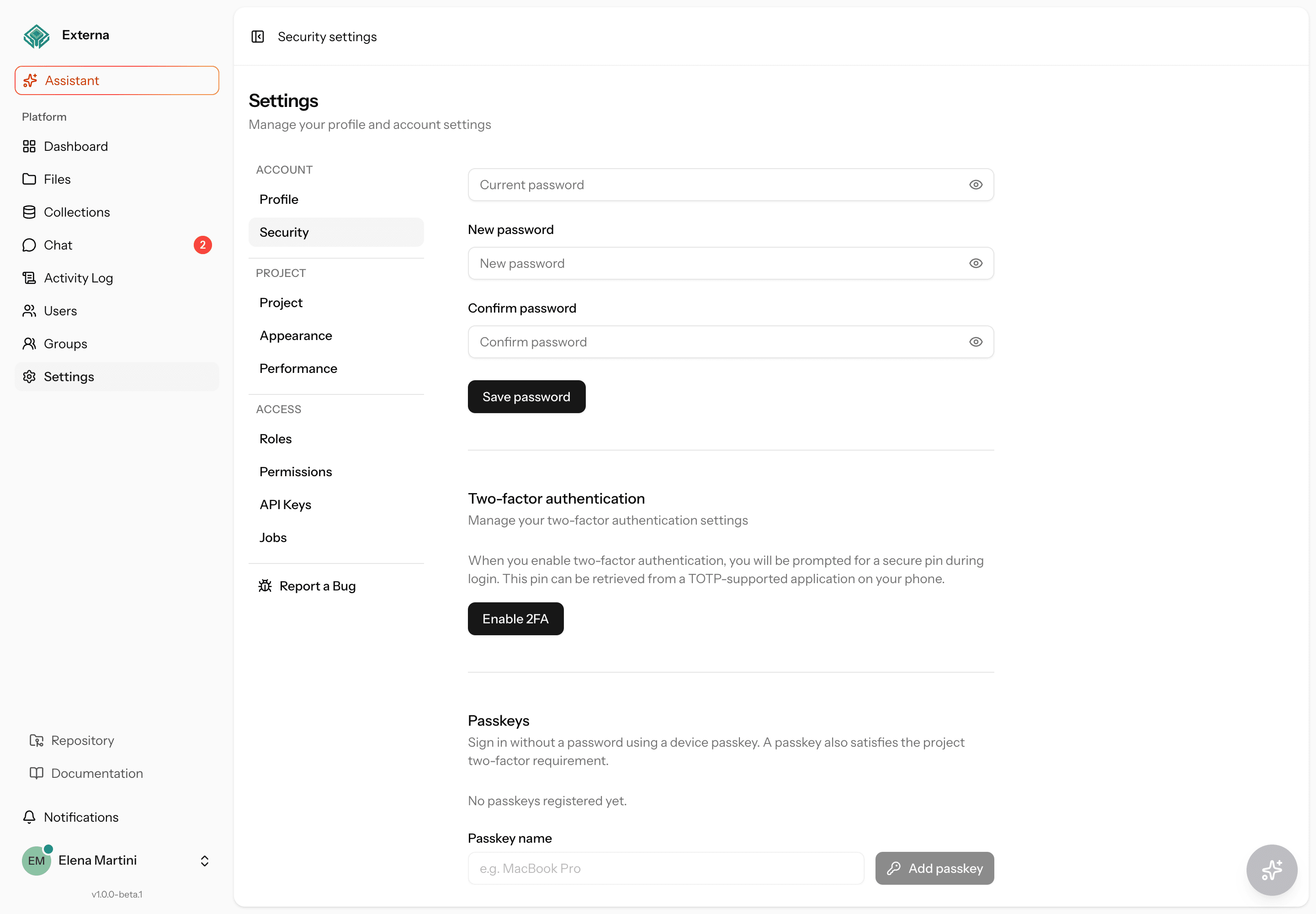
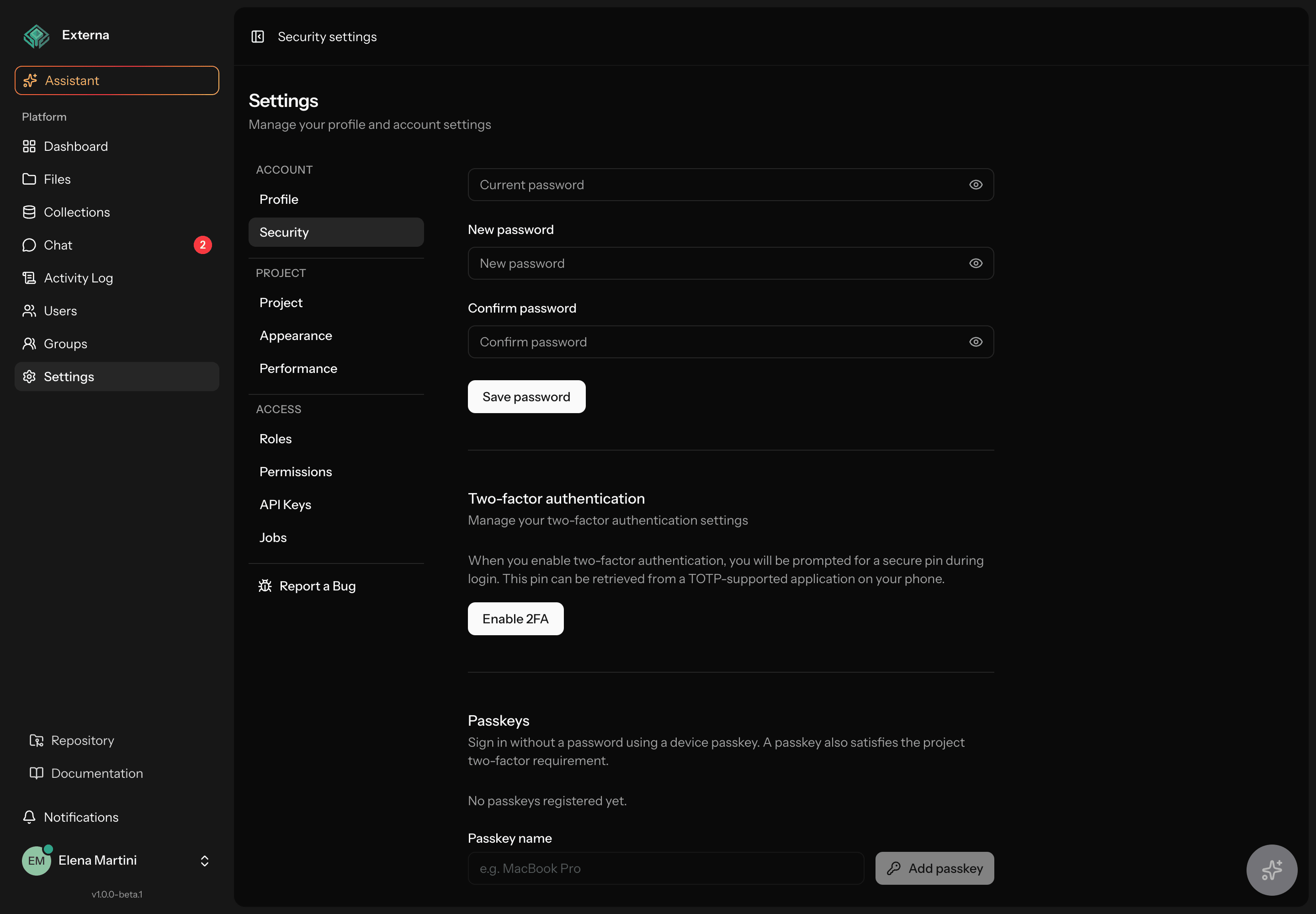
Externa supports passkeys (WebAuthn) via official Laravel Fortify + @laravel/passkeys. A passkey is passwordless sign-in and also counts as MFA when the project requires two-factor authentication.
Related
Manage UI: Account settings. Re-auth before Security: Confirm password with a passkey. Project MFA gate: Project settings — Require 2FA. Pre-ship gates: Security checklist. Fortify config: Application config. Env: Environment variables — APP_URL.
HTTP vs passkeys
Externa itself works on HTTP — login with password, Fortify TOTP 2FA, password confirm (typed password), admin UI, APIs, everything except WebAuthn/passkeys. Passkeys need a secure context (browser rule, not an Externa or Brave bug). See Requirements.
What passkeys are in Externa
| Concern | Behavior |
|---|---|
| Package stack | laravel/fortify feature Features::passkeys() + @laravel/passkeys (React hooks usePasskeyRegister / usePasskeyVerify) |
| Sign-in | Passwordless: assert a registered credential on the login page — no email/password and no TOTP challenge after a successful assertion |
| Password confirm | /user/confirm-password: password form always; Confirm with passkey only if ≥1 passkey + feature on + secure context (/passkeys/confirm/*) — same session passwordConfirmed() + intended redirect; see below |
| MFA for projects | Satisfies project setting two_factor_required the same way confirmed TOTP does (hasPasskeysEnabled() → ≥1 passkey) |
| Account password | Still required for password login, password changes, and (by default) opening Security settings (confirmPassword) — passkey is an alternate confirm path when enrolled |
| Vendor policy | Use only official Fortify / @laravel/passkeys — no forks or local patches of those packages |
User model: implements PasskeyUser, uses PasskeyAuthenticatable (alongside TwoFactorAuthenticatable). Successful passkey login uses PasskeyLoginResponse, which redirects via the same HomePath resolver as password login.
Register a passkey (Security settings)
| Item | Detail |
|---|---|
| Page | Settings → Security (GET /settings/security, security.edit) |
| UI | resources/js/pages/settings/security.tsx (data-test="passkeys-section") |
| Feature flag | Features::canManagePasskeys() — section hidden when passkeys are disabled in config/fortify.php |
Steps
- Sign in (email + password, or an existing passkey).
- Open Settings → Security. With default Fortify options,
password.confirmruns first — confirm your account password or use Confirm with passkey if you already have a passkey (details), then the security page loads. - In Passkeys, enter a device name (e.g. “MacBook Touch ID”, “Phone”).
- Click Add passkey. The browser/platform authenticator prompt appears (Touch ID, Windows Hello, security key, etc.).
- Complete the prompt. The list reloads with the new passkey (
id,name,created_at,last_used_at).
List and delete
- Registered passkeys are listed on the same page.
- Delete calls the Fortify passkey destroy route (
passkey.destroy). Users can delete only their own passkeys. - If the project has
two_factor_requiredon and this was the user’s only MFA factor (no confirmed TOTP and no remaining passkeys),EnsureTwoFactorIsEnabledwill send them back to Security until they enroll again.
Browser support / secure context
The UI checks platform support (isSupported from @laravel/passkeys/react). That is false on insecure HTTP origins (e.g. http://externa-core.test) and on browsers without WebAuthn — CTAs hide or show an unsupported message. Use HTTPS (or localhost / *.localhost), plus a current browser with a platform authenticator or hardware key. See Requirements.
Sign in
Passkey (passwordless)
- Open the login page (
resources/js/pages/auth/login.tsx). - If passkeys are enabled and supported, a Sign in with passkey button appears (
data-test="passkey-login-button"). Sign-in is click-only (no WebAuthn autofill on mount — avoids hungisLoadingon some browsers). - Click the button. Complete the authenticator prompt.
- On success, the client follows
PasskeyLoginResponse’s redirect (JSONredirectURL or Inertia visit) — same home as password login.
There is no Fortify TOTP challenge after a successful passkey assertion. The credential is the second factor.
Email + password (+ TOTP when required)
- Submit email and password as usual.
- If the user has confirmed Fortify TOTP enabled, Fortify’s two-factor challenge runs next (unless this session already satisfied 2FA).
- If the user has only passkeys (no TOTP) and signs in with password, password login does not automatically use the passkey — they still need a password (and TOTP if TOTP is enabled). Passkey is an alternate login path, not a replacement for the password field on that form.
| Login method | Password needed? | TOTP challenge? |
|---|---|---|
| Passkey assertion | No | No |
| Email + password, TOTP off, may have passkeys | Yes | No |
| Email + password, TOTP confirmed | Yes | Yes (Fortify challenge) |
Confirm password with a passkey
Fortify’s password.confirm middleware sends the user to /user/confirm-password before sensitive actions that opt into recent re-auth — notably Settings → Security when confirmPassword is on for 2FA and/or passkeys (SecurityController + config/fortify.php). UI: resources/js/pages/auth/confirm-password.tsx; props from FortifyServiceProvider (canManagePasskeys, hasPasskeys).
| Path | When available | Behavior |
|---|---|---|
| Password form | Always | Primary path — type password → Confirm password (POST /user/confirm-password). Works on HTTP and HTTPS; no WebAuthn required. |
| Confirm with passkey | Only when all of: passkeys feature on (canManagePasskeys), user has ≥1 passkey (hasPasskeys / hasPasskeysEnabled()), and browser secure context + WebAuthn (isSupported) | Outline CTA (data-test="passkey-confirm-button") under an “or confirm with passkey” divider |
Ceremony details (passkey path):
- Click-only —
usePasskeyVerify({ autofill: false })againstGET /passkeys/confirm/options+POST /passkeys/confirm. No WebAuthn autofill on mount (same hung-isLoadinglesson as login). - Success marks the session password-confirmed (
passwordConfirmed()) and follows the same intended redirect as typing the password (JSONredirect, else/). - Abort (dismiss authenticator) → cancelled message (
UserCancelledError); other errors surface as-is. The password form stays usable while a ceremony runs and after cancel.
HTTP fallback
On insecure HTTP (e.g. http://externa-core.test), the passkey CTA is hidden — expected. Operators still clear password.confirm by typing the account password. Prefer local HTTPS only when you need to exercise the passkey confirm path.
Account-settings summary: Password, 2FA & passkeys.
Relationship with 2FA / two_factor_required
Project setting two_factor_required is enforced by EnsureTwoFactorIsEnabled on the web stack. A user is “MFA complete” when either:
hasEnabledTwoFactorAuthentication()(confirmed Fortify TOTP), or- passkeys feature on and
hasPasskeysEnabled()(≥1 registered passkey).
Decision table
two_factor_required | User has confirmed TOTP | User has ≥1 passkey | Result |
|---|---|---|---|
| Off | — | — | No MFA gate. Personal TOTP/passkeys optional. |
| On | Yes | — | Allowed through (passkeys optional). |
| On | No | Yes | Allowed through (TOTP optional). |
| On | Yes | Yes | Allowed through. |
| On | No | No | Redirect to /settings/security; banner twoFactorEnforcedForUser until enrollment. |
| On, but Fortify 2FA feature disabled | — | — | Enforcement is a no-op (middleware requires Features::canManageTwoFactorAuthentication()). |
| On, passkeys feature disabled | No | N/A | Only confirmed TOTP satisfies the gate. |
Allowlisted routes while enforced (so enrollment works): security / password / profile / locale settings, Fortify 2FA + passkey registration/store/destroy, password-confirm, and logout. See Project settings.
Requirements
Secure context (passkeys only)
WebAuthn / PublicKeyCredential is available only in a secure context:
| Origin | Passkeys? | Rest of Externa (password, TOTP, CMS, …)? |
|---|---|---|
https://… (any host) | Yes | Yes |
http://localhost / http://*.localhost | Yes | Yes |
http://externa-core.test (or other custom .test / LAN HTTP host) | No — UI shows unsupported / insecure-context | Yes — expected; not a Brave bug |
Do not expect HTTP passkeys on custom Herd/Valet .test hosts — browsers treat those as insecure. Use password + TOTP on HTTP, or enable local HTTPS below.
Production: passkeys require HTTPS. The app can run on HTTP for non-passkey features, but HTTPS is recommended in general (sessions, cookies, proxies).
Config checklist
| Requirement | Detail |
|---|---|
APP_URL alignment | config/fortify.php → passkeys.relying_party_id = host of APP_URL; allowed_origins = [config('app.url')]. Browse at that exact origin (scheme + host + port). |
APP_KEY | Used as user_handle_secret — keep stable; rotating the key can break existing user handles depending on package behavior. |
| Browser / authenticator | Platform authenticator (Touch ID, Face ID, Windows Hello) or roaming authenticator (security key). |
| Feature enabled | Features::passkeys(['confirmPassword' => true]) in config/fortify.php features array. |
| Migrations | passkeys table must exist — see Migration. |
// config/fortify.php (excerpt)
'passkeys' => [
    'relying_party_id' => parse_url(config('app.url'), PHP_URL_HOST),
    'allowed_origins' => [config('app.url')],
    'user_handle_secret' => config('app.key'),
    'timeout' => 60000,
],

Features::passkeys([
    'confirmPassword' => true,
]),
After changing APP_URL on a config-cached host, rebuild config (php artisan config:cache / config:clear).
Origin mismatches
If users hit https://www.example.com while APP_URL is https://example.com (or HTTP vs HTTPS, or a different port), registration and assertion fail. Keep proxy/APP_URL/browser URL aligned — same rule as Deployment.
Local HTTPS (Herd / Valet) for passkey testing
When you want passkeys on a .test host:
- Secure the site:
herd secure externa-core(Valet:valet secure …). - Set
APP_URL=https://externa-core.test(must match the browser origin — RP ID /allowed_origins). - Vite / Laravel
detectTls: Externa enablesdetectTlsonly when Herd cert files exist for the site. Afterherd secure, restartnpm run devsopublic/hotishttps://externa-core.test:5173(not127.0.0.1— that causes a black/blank screen). Afterherd unsecure, restart Vite again so it falls back to HTTP without looking for missing certs. - Restart Vite (
npm run dev/composer run dev). Hard-refresh the browser. If the session looks wrong after flipping HTTP↔HTTPS, clear cookies for both schemes for that host.
Optional local path without Herd TLS: browse http://localhost (or *.localhost) with matching APP_URL — that is a secure context for WebAuthn.
Migration
Passkeys persist in the passkeys table (migration create_passkeys_table).
php artisan migrate
Schema (summary):
| Column | Purpose |
|---|---|
user_id | FK to users, cascade on delete |
name | Operator-facing device label |
credential_id | Unique WebAuthn credential id |
credential | JSON credential payload |
last_used_at | Updated on successful use (nullable) |
Fresh installs that already run composer setup / full migrate get this table automatically. Existing environments need one migrate after pulling the passkeys work.
Security notes
- No vendor forks — stay on official Fortify and
@laravel/passkeys. Do not patch RP validation, credential storage, or challenge handling invendor/. confirmPasswordon manage — defaultFeatures::passkeys(['confirmPassword' => true])so opening Security (and thus register/delete) requires a recent password confirmation. Keep this on unless you have a deliberate, reviewed exception.- Do not disable RP checks —
relying_party_idandallowed_originsexist to bind credentials to your site. Do not widen them to*or unrelated hosts. - Throttle — Fortify registers a
passkeysrate limiter alongsidelogin/two-factor. - Ownership — destroy is scoped to the authenticated user’s passkeys; deleting another user’s passkey returns an error and leaves the row intact.
- MFA equivalence — treat passkeys as a full MFA factor for
two_factor_required, not as a weaker “remember me”. Prefer ≥2 authenticators (e.g. laptop + phone) so losing one device does not lock the account when the project requires MFA and TOTP is not enabled.
Source map
| Concern | Location |
|---|---|
| Fortify feature + RP config | config/fortify.php |
| User traits | App\Models\User (PasskeyUser, PasskeyAuthenticatable) |
| Login redirect | App\Http\Responses\PasskeyLoginResponse (bound in FortifyServiceProvider) |
| Security page props | App\Http\Controllers\Settings\SecurityController |
| MFA gate | App\Http\Middleware\EnsureTwoFactorIsEnabled |
| Login UI | resources/js/pages/auth/login.tsx |
| Confirm-password UI | resources/js/pages/auth/confirm-password.tsx (passkey confirm via /passkeys/confirm/*) |
| Security UI | resources/js/pages/settings/security.tsx |
| Vite TLS / hot URL (Herd secure) | vite.config.ts — Laravel plugin detectTls: '<site>.test' |
| Migration | database/migrations/*_create_passkeys_table.php |
| Feature / browser tests | tests/Feature/Auth/PasskeysTest.php, tests/Browser/PasskeysBrowserTest.php |